
Workspaces and environments
How workspaces scope your work, how environments define where workloads run, and what org and workspace roles mean.
Two constructs organize everything on the platform: workspaces (where you build) and environments (where the resulting workloads run).
Workspaces — the working scope
A workspace is the unit of tenancy for building:
- Every agent and workflow belongs to exactly one workspace.
- Each workspace is one Kubernetes namespace, provisioned on the cluster of the environment it is bound to.
- Workspace membership controls who can see and build in it (see Roles at a glance below).
The Build section of the console (Overview, Agents, Workflows, Activity, Connected Accounts, Settings) is always scoped to a single workspace.
Switching workspaces
The workspace picker at the top of the sidebar selects your Build scope. Changing it re-scopes only the Build screens — Governance, Cloud, Gateway, and Organization are org-level and unaffected. The picker also hosts the "+ New workspace" action, which only org admins see (workspace creation is org-admin-only).
Build → Overview is the workspace's landing page: deployment status, recent activity, usage, and the environment the workspace is bound to (with a Change action to re-bind it to another catalog entry).
Environments — where workloads run
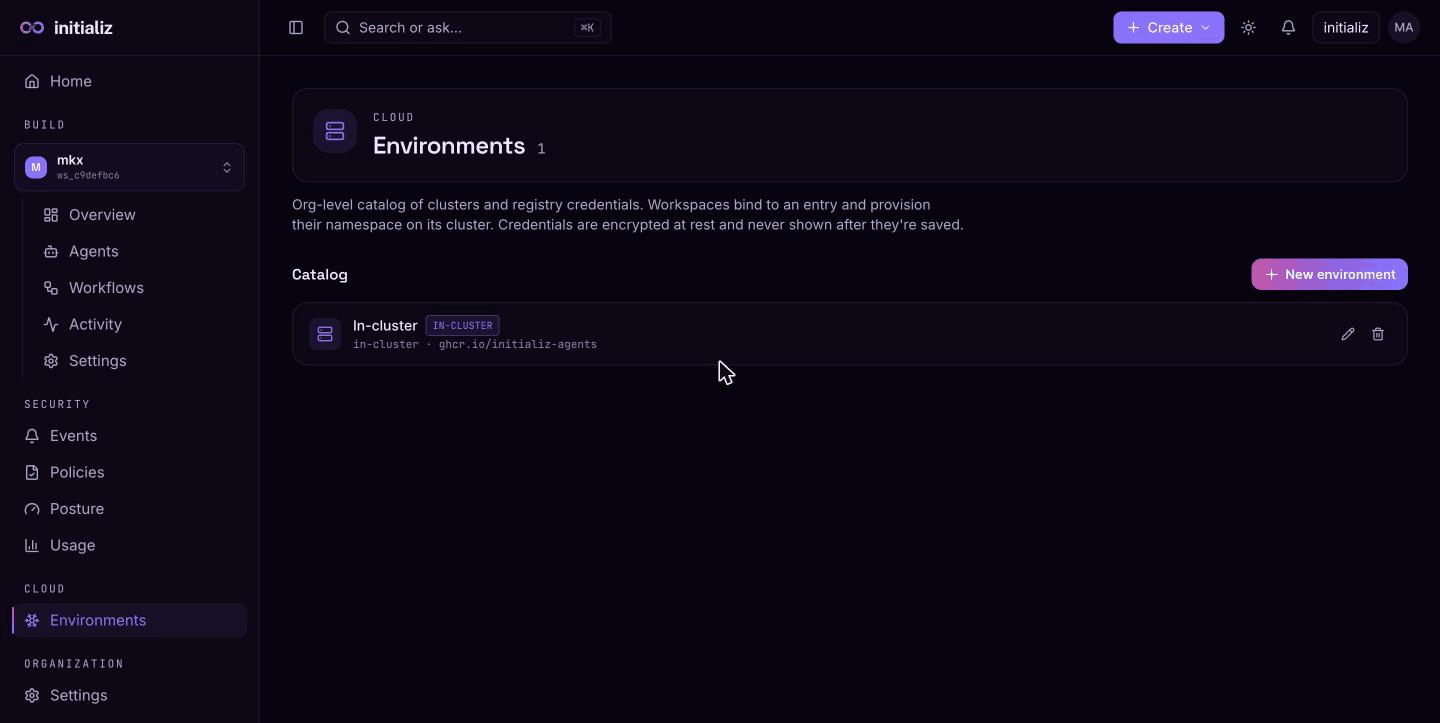
Cloud → Environments is the org-level catalog of clusters and registry credentials. Workspaces bind to an entry from this catalog and provision their namespace on that entry's cluster.
An environment entry has:
- Name — how it appears in the catalog (e.g.
prod-eastus). - Cluster type — in-cluster (runs on the platform's own cluster, no kubeconfig needed; at most one such entry exists, and the first environment must be in-cluster) or remote (reached via a kubeconfig you paste in).
- Cluster name and registry URL — where agent images are pushed and pulled from.
- Registry pull secret (
dockerconfigjson) — optional credentials for the registry.
Credentials (kubeconfig, registry secret) are write-only: they are encrypted at rest and never shown again after saving. Edit forms leave them blank — they are only resent if you type a new value.
Roles at a glance
Access has two tiers, both managed under Organization → Settings:
- Org admin — everything, org-wide: create workspaces and environments, manage members, policies, and tokens.
- Org member — can sign in; what they can do is determined by their workspace grants.
- Security admin — org-wide access to the Governance area (events, policies, agent identity, posture, usage) without org administration; build access still comes only from workspace grants.
- Workspace admin — manages one workspace (its agents, settings, and workspace-level policy).
- Developer — builds within one workspace.
Workspace-scoped grants (workspace admin, developer) automatically make the user an org member. Org admins can access every workspace.
Next step
With a workspace selected, you're ready to create your first agent.