
Webhook triggers
Give a workflow its own secret URL so any external system can start a run with a single POST — no platform credentials required.
Besides manual runs and schedules, a workflow can be started from the outside: enabling its webhook trigger mints a dedicated, secret-bearing URL that starts a run when POSTed to. The caller needs no platform account or API token — the secret embedded in the URL is the credential, and it is scoped to starting this one workflow and nothing else.
Enable the trigger
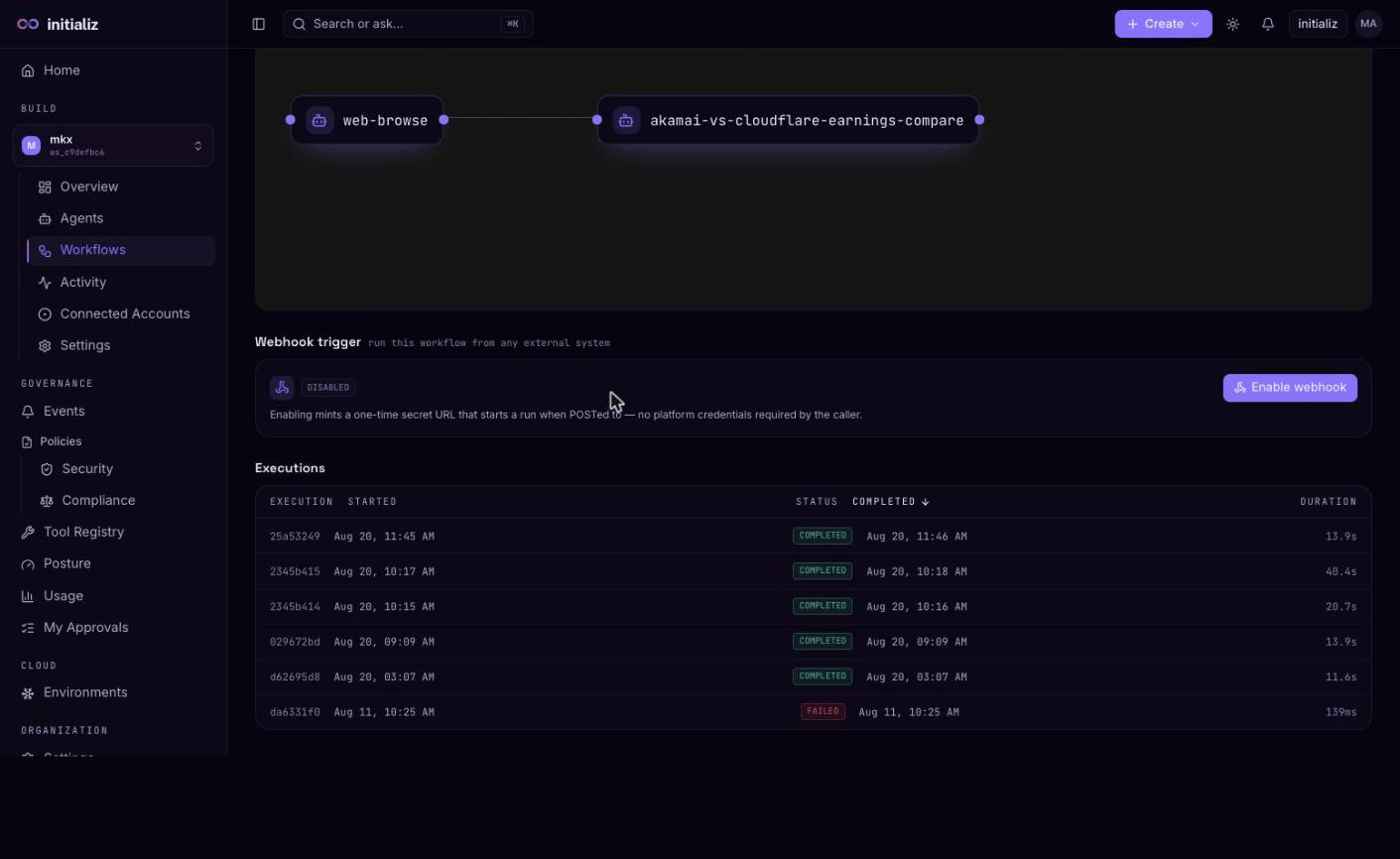
On the workflow detail page, the Webhook trigger section sits between the pipeline and the executions list. Click Enable webhook:
- The full trigger URL is shown exactly once, with a copy button and a
ready-to-paste
curlsnippet. Store it now — the platform keeps only a hash of the secret, so the URL cannot be retrieved later. - On later visits the section shows only the enabled state and the trigger's host (plus a dedicated route marker when the platform provisioned a per-workflow hostname — an operator-configured option; otherwise the trigger rides the platform's shared public host).
The same buttons manage the trigger's lifecycle:
- Rotate — invalidates the current URL immediately and mints a fresh secret, shown once again. Use it if the URL was lost or may have leaked.
- Disable — removes the trigger (and any dedicated route). POSTs to the old URL stop working.
Managing the trigger requires the same workspace access as editing the workflow itself.
Call the trigger
Start a run by POSTing a JSON object to the URL — the body supplies the run's
$userinput values, exactly like filling the Run panel:
curl -X POST "https://<trigger-host>/hooks/workflows/<id>/<secret>" \
  -H "Content-Type: application/json" \
  -d '{"question": "Summarize new tickets"}'
A workflow with no declared inputs is triggered with an empty object {}.
The endpoint answers a uniform 404 for a wrong secret, a disabled trigger, or a workflow that cannot run (for example, an orphaned one) — a probing caller learns nothing about which of these it hit.
Webhook-triggered runs
A triggered run is an ordinary execution: it appears in the workflow's
executions list, shows the same per-step timeline and runtime events, and is
attributed to the webhook principal rather than a signed-in user. Branches,
approval gates, and step time budgets all behave exactly as they do for
manual and scheduled runs — see
Running and monitoring.
Treat the trigger URL like a password: anyone holding it can start runs (and supply the run's inputs). Prefer storing it in the calling system's secret store, and Rotate on any suspicion of exposure.