
Usage and quotas
Token and execution metrics on the Usage screen, and windowed token quotas that gate agent invocations at admission time.
The Usage screen (under Governance → Usage in the console) tracks what
your agents spend; token quotas cap it.
Both are derived from the same audit event stream that powers
Security events: token metrics come from each
llm_call event's token counts, and executions count completed
invocations. Input counts are cache-inclusive: where the runtime reports
prompt-cache reads and writes, they are counted as input spend alongside the
uncached prompt tokens, so the figures reflect what the model actually
processed. Events from runtimes that don't report cache totals fall back to
their plain input token count, so older data is unchanged.
The Usage screen
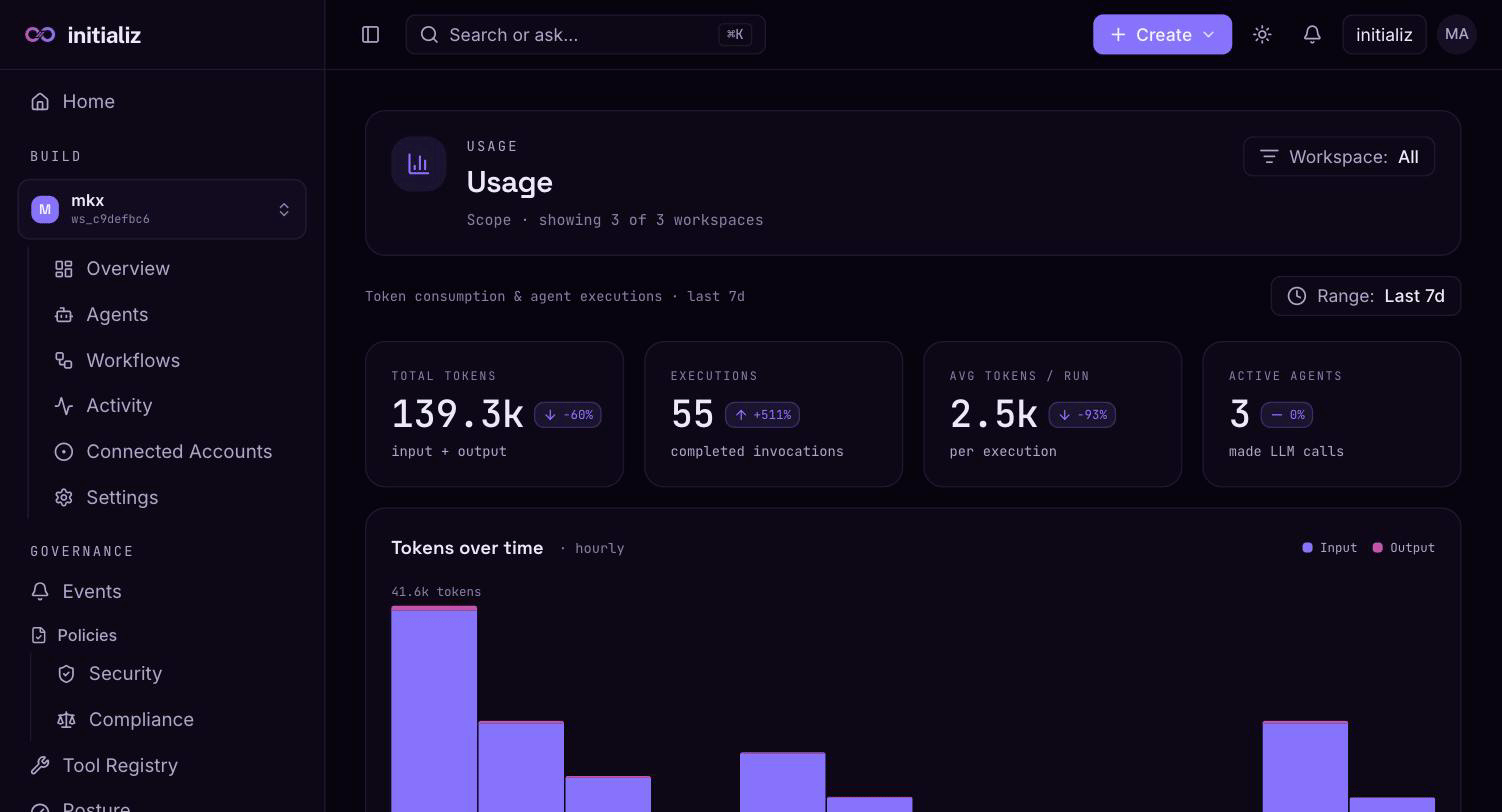
Usage is scoped by your workspace selection and a time-range preset — last 1 hour, 24 hours, 7 days (the default), or 30 days. Every figure is computed for the selected window and the preceding window of equal length, so KPIs carry window-over-window deltas.
- KPI strip — total tokens (cache-inclusive input + output), executions (completed invocations), average tokens per run, and active agents (agents that made LLM calls in the window).
- Trend chart — hourly buckets of input tokens, output tokens, and executions over the window.
- Input/output split — the balance of prompt versus completion spend (input includes cached prompt tokens where reported).
- Rollups — top agents by tokens (shown by agent name, including deleted agents so historical spend still resolves), per-workspace totals in the org-wide view, and spend by provider and by model.
- Compression savings — tokens saved by context compression, by tool, from the runtime's compression telemetry.
Rollup rows deep-link into the Events screen with the same time range, so "which agent burned 2M tokens" pivots directly to that agent's event stream. An agent's detail page shows the same usage panel narrowed to that agent.
Token quotas
Token quotas are windowed token budgets that gate agent work before it starts. A quota is defined per scope, and each scope can carry up to three windowed limits:
| Scope | Applies to |
|---|---|
org | All token spend across the org |
workspace | All agents in one workspace |
agent | One agent |
| Window | Resets |
|---|---|
hourly | At the top of each hour (UTC) |
daily | At 00:00 UTC |
monthly | On the 1st of the month, 00:00 UTC |
Windows are fixed (calendar-aligned), not rolling. A window left empty means "no limit at this granularity from this scope" — evaluation falls through to the next broader scope's limit, or admits if no scope sets one. A quota with every window empty stores nothing and is rejected; delete the quota instead.
What happens at admission
When an agent invocation starts, the platform evaluates the configured quotas in most-restrictive-first order — agent → workspace → org — comparing each scope's consumed tokens in the current window against its limit. The first exhausted window denies.
On deny:
- The agent's task is refused — it does not run.
- The runtime emits a
task_admission_deniedaudit event whose fields carry the denyingscope, thewindow, thereason, thereset_attime when the window reopens, andcached(whether the deny was replayed from the runtime's local decision cache rather than a fresh check). - The Posture screen surfaces these as quota hits, deliberately kept distinct from policy denials.
Admission is checked once per invocation, not per LLM call. A task admitted just under the limit runs to completion even if it crosses the budget mid-run. Treat quotas as a circuit breaker on runaway spend, not a hard ceiling — size them with that structural overshoot in mind.
Managing quotas
Only org admins can create, update, or delete token quotas — including workspace- and agent-scoped ones. Token budgets are an org-wide control surface; workspace admins manage their workspaces but do not set spend caps for them. Anyone with access can view the configured limits.
The org-level quota is edited on the Usage screen; workspace-scoped budgets are edited in workspace settings. Editors follow the console's read-only-until-Edit convention, and the platform enforces the org-admin requirement on every write regardless of what the console shows.
Note that token quotas are independent of security policies: they are enforced at admission time and are not part of policy propagation — publishing a policy does not touch quotas, and vice versa.