
Policies and guardrails
The egress allowlist and security policies that govern an agent, and how to fix a policy denial.
Agents don't run open-ended: every agent operates under an egress allowlist and under the security policies of its workspace and your organization. And when policy isn't enough, an admin can stop an agent outright — see The kill switch.
Egress allowlist
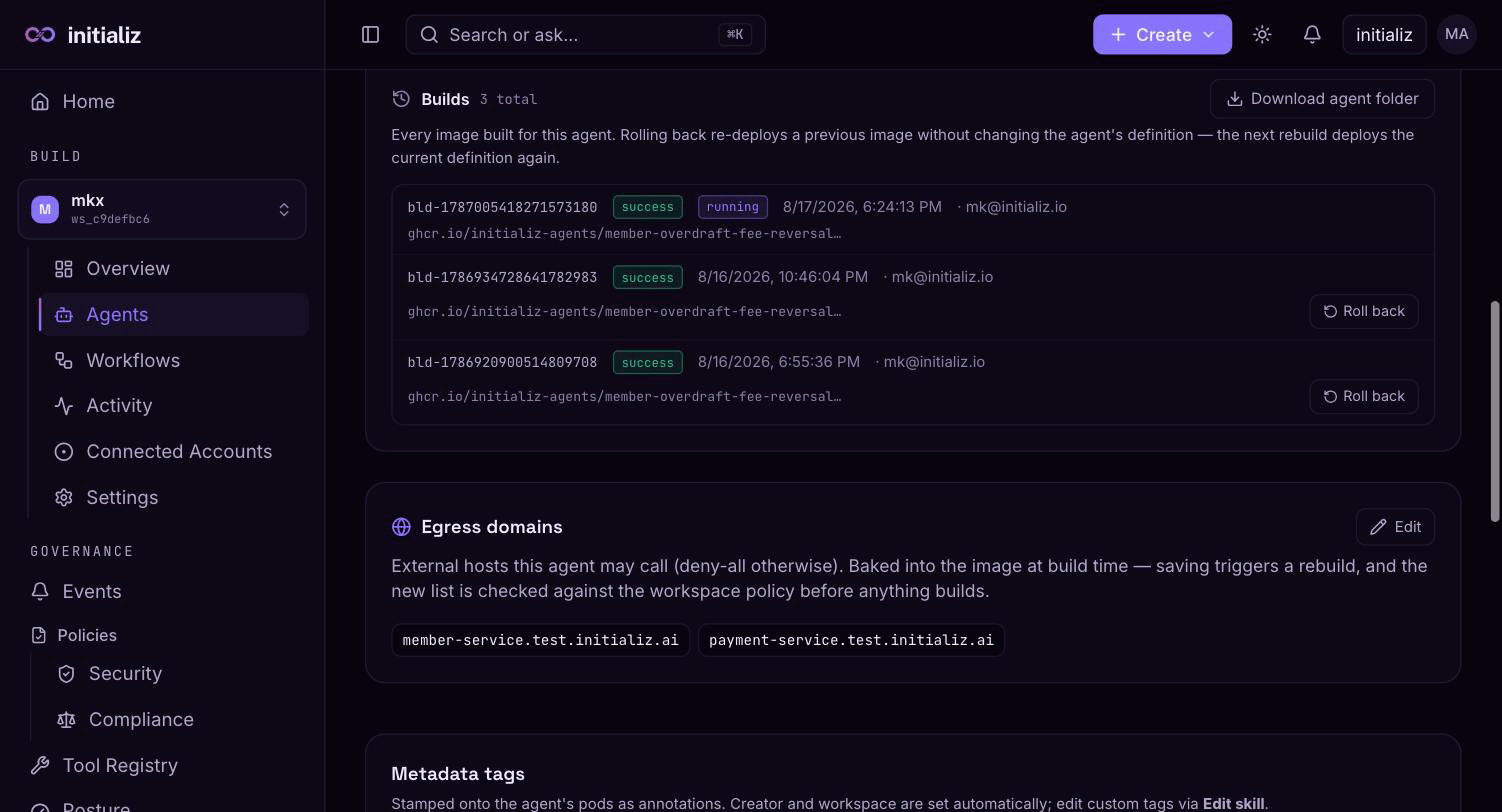
Each agent has an allowlist of domains it may reach:
- Base egress — a platform-managed set of pre-approved domains every agent gets (shown read-only on the create screen). You never maintain these.
- Skill egress — domains the agent's skill declares it needs.
- Tool egress — hosts of governed tools the agent uses, added automatically so a tool you selected is never blocked by the allowlist.
- Additional egress — domains you add yourself at create time or later.
Anything outside the allowlist is blocked at runtime, and blocked calls show up as events on the agent's Activity tab and under Governance → Events — see Security events.
To fix a blocked domain after deployment, open the agent's Settings tab and edit the egress allowlist — applying the change rebuilds and redeploys the agent.
Organization and workspace policies
On top of the per-agent allowlist, the platform compiles your organization's and workspace's security policies and applies them to every agent automatically — deny rules, limits on allowlist size and tool count, and usage quotas. You don't attach these per agent; they follow the workspace the agent is deployed into, and policy updates propagate to running agents without a rebuild.
When a policy or quota denies something — a blocked domain, a denied tool call, a task refused because a spending or token quota was hit — the denial is recorded as an audit event and surfaced on the agent's Activity tab and the Governance screens. See Security for defining policies and quotas at the organization and workspace level.
Runtime tool-call decisions
Beyond what tools an agent has, the platform can govern what each tool call does. Turning on Enforce PDP policy (on the create or skill-edit review screen) makes the agent check every tool call against your compliance policies over its actual argument values, and enforce the verdict: allow, defer for human approval, or deny. Enforcement is fail-closed — with the toggle on and no matching rule, calls are denied — so author the policy before (or together with) enabling it.
Rules are authored in two places: the org-wide baseline under Governance → Policies → Compliance, and per-agent tightening on the agent's own Governance tab (per-agent rules can only make a call more restrictive, never loosen the baseline). The full model — rule shape, scopes, and deferral routing — is covered in Compliance and tool-call decisions.
When a rule defers a call, the agent parks it and waits: the approver sees it in My Approvals in the console (and in Slack, when the agent has a Slack channel) and can approve or deny it there, which resumes or refuses the parked call. If the run was started from the console, the conversation shows the turn in a deferred state — "sent for review" — rather than hanging until a timeout; the outcome appears in the thread once the approver decides. See Approvals and consents.
Guardrails
Guardrails are part of an agent's baked configuration, set alongside its skills and policies when the agent is built. Like skills, provider, and channels, they are locked in the console for CI-deployed agents, whose configuration is owned by the repository.
Related runtime protections you control per agent from the create screen:
- Tool approval — tools that require human approval park the call until someone signs off. Approvals surface in My Approvals in the console and, when the agent has a Slack channel, as prompts in Slack. See Approvals and consents.
- Audit payload capture — when enabled, raw tool inputs/outputs and model messages are recorded in audit events, secret-redacted and size-capped. Off by default.