
Agents
What an agent is on the initializ AI Platform — skills, model provider, channels, policies, and guardrails, deployed into a workspace.
An agent is the core unit of the platform: a deployable AI service that carries out a task using one or more skills, talks to a model provider through the platform's managed gateway, and is reachable over one or more channels. Every agent is deployed into a workspace, and runs under the security policies and guardrails that apply to that workspace and your organization.
Concretely, an agent bundles:
- Skills — the instructions, scripts, and tool dependencies that define what the agent does. Pick a skill from the catalog or generate one by describing it in plain English.
- Model provider and model — chosen per agent at create time from the set your platform offers. Credentials and endpoints are managed by the platform; you never handle model API keys.
- Channels — how the agent is reached: the built-in HTTP endpoint used by the console and by workflows (with a per-agent endpoint reachability choice — cluster-only, private, or public), and optionally Slack.
- Environment variables and secrets — values the skill needs at runtime. Secrets are vaulted at deploy time and are never readable back.
- Policies and guardrails — an egress allowlist per agent, plus the organization and workspace security policies the platform applies automatically. Agents can also opt in to runtime tool-call decisions (Enforce PDP policy) — see Compliance and tool-call decisions.
- Trigger and schedules — an agent is either human-triggered or scheduled/autonomous; autonomous agents can carry cron-style schedules the platform runs for them.
- Metadata tags — optional key=value tags, applied to the agent's runtime metadata for inventory and attribution.
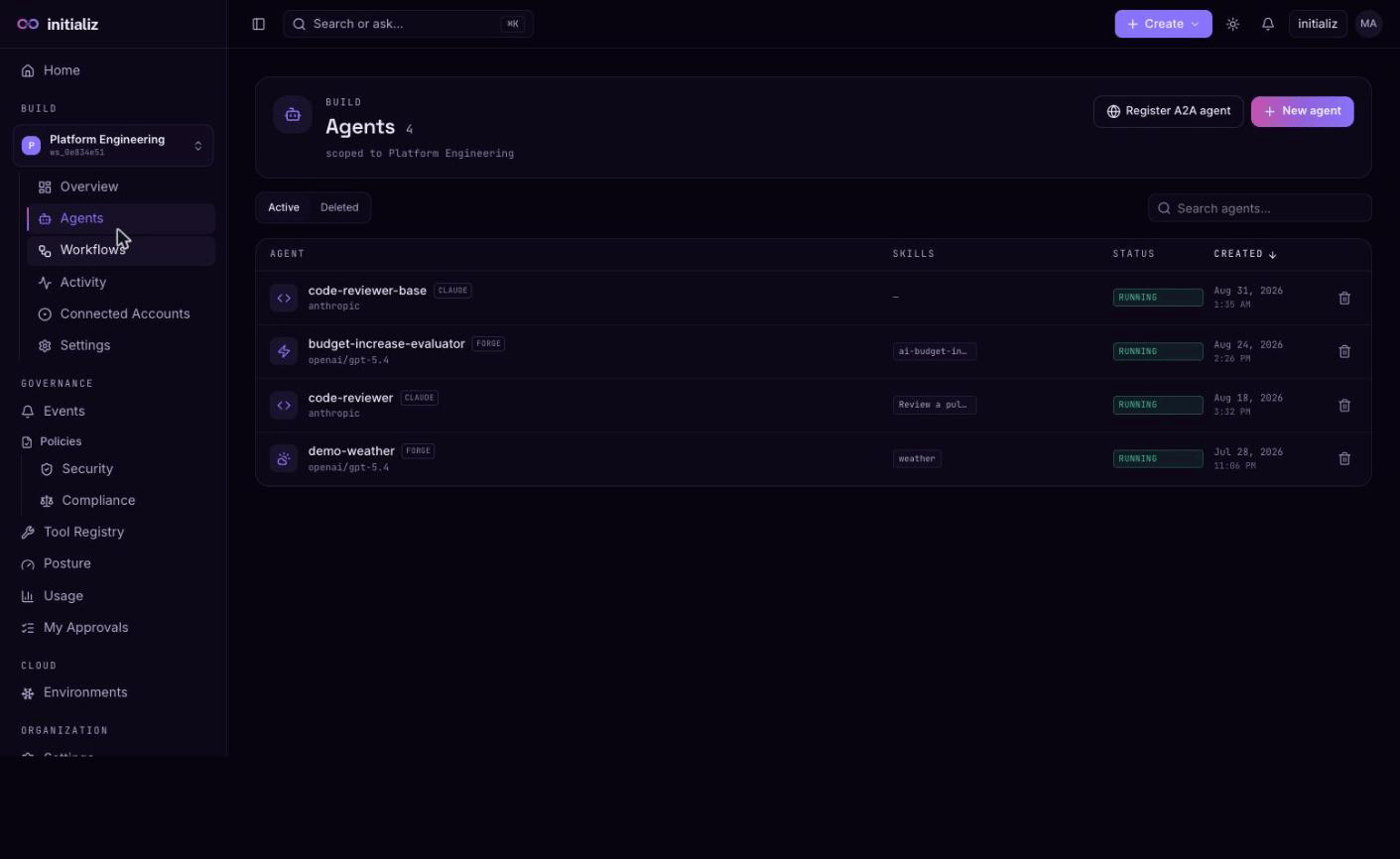
Agents you create in the console are built into container images and deployed by the platform. You can also deploy pre-built images from your own CI pipeline, or register agents that run entirely outside the platform. Once running, every agent can be tested from the console, observed through its Activity, Logs, and Usage tabs, and composed into workflows — and if one misbehaves, an admin can disable it instantly (and reversibly) with its kill switch. The Agents list badges each agent's runtime type alongside its skills, model, and live status — whichever framework the agent is built on (Forge, Claude, Strands, LangChain, Google ADK, or OpenAI), the badge names it.
In this section
Creating an agent
The console create flow: skills, model, channels, and configuration.
Building and deploying
What happens after create: build progress, health states, and failure diagnostics.
Skills
The skill catalog and the conversational skill builder.
Channels and providers
How agents are reached, and per-agent model provider selection.
Schedules
Cron-style recurring runs for autonomous agents, executed by the platform.
Policies and guardrails
Egress allowlists and the security policies applied to agents.
Secrets and environment
Environment variables and secret rotation without a rebuild.
CI-deployed agents
Deploy pre-built agent images from your own CI pipeline.
External agents
Register a bring-your-own agent by URL and use it in workflows.
Runtime
The agent runtime: tools, egress enforcement, and audit.
Lock down an agent's egress
Tighten what an agent can reach on the network, layer by layer — the org egress ceiling, workspace policy, the agent's own domain allowlist, and the advanced runtime narrowings — then verify a block end to end in the event stream.
Creating an agent
Create an agent in the console — start from a catalog skill or describe one in plain English, then configure the name, model, variables, and channels.