
Lock down an agent's egress
Tighten what an agent can reach on the network, layer by layer — the org egress ceiling, workspace policy, the agent's own domain allowlist, and the advanced runtime narrowings — then verify a block end to end in the event stream.
A deployed agent starts from deny-all: it has no outbound network access except what its build declared, and every host it may reach must be on its allowlist. This guide is the operator's path through the layers that shape that allowlist, from the org-wide ceiling down to a single agent, ending with a verified block. Each step links to the reference page that covers its layer in depth — the model itself lives in Egress control.
Before you start
- The right role for each layer. The org policy is published by an org admin; a workspace policy by that workspace's admin or an org admin. Everyone else sees the editors read-only — see Policies for the exact rules.
- A deployed agent you can safely poke, to verify enforcement in the final step. If you don't have one, see Create an agent with the skill builder.
- The layered model in mind. Egress is decided by the combination of org policy, workspace policy, and the agent's own allowlist — deny entries combine by union (any layer can forbid), allow lists by intersection (every layer that restricts must permit).
Step 1 — know what the agent can already reach
Before tightening anything, read the agent's current allowlist on its Settings tab. It is composed from four sources:
- Base egress — platform-managed domains every agent gets (model gateway, channel platforms, verification endpoints). You never maintain these.
- Skill egress — domains the agent's skill declares.
- Tool egress — hosts of the governed tools it uses, added automatically.
- Additional egress — domains added at create time or later.
An agent with nothing beyond the base set can only reach platform services. Anything outside the composed list is blocked at runtime. See Policies and guardrails for how the pieces combine.
Step 2 — set the org ceiling
Go to Governance → Policies → Security. This is the org-wide security policy — the ceiling every agent in every workspace runs under.
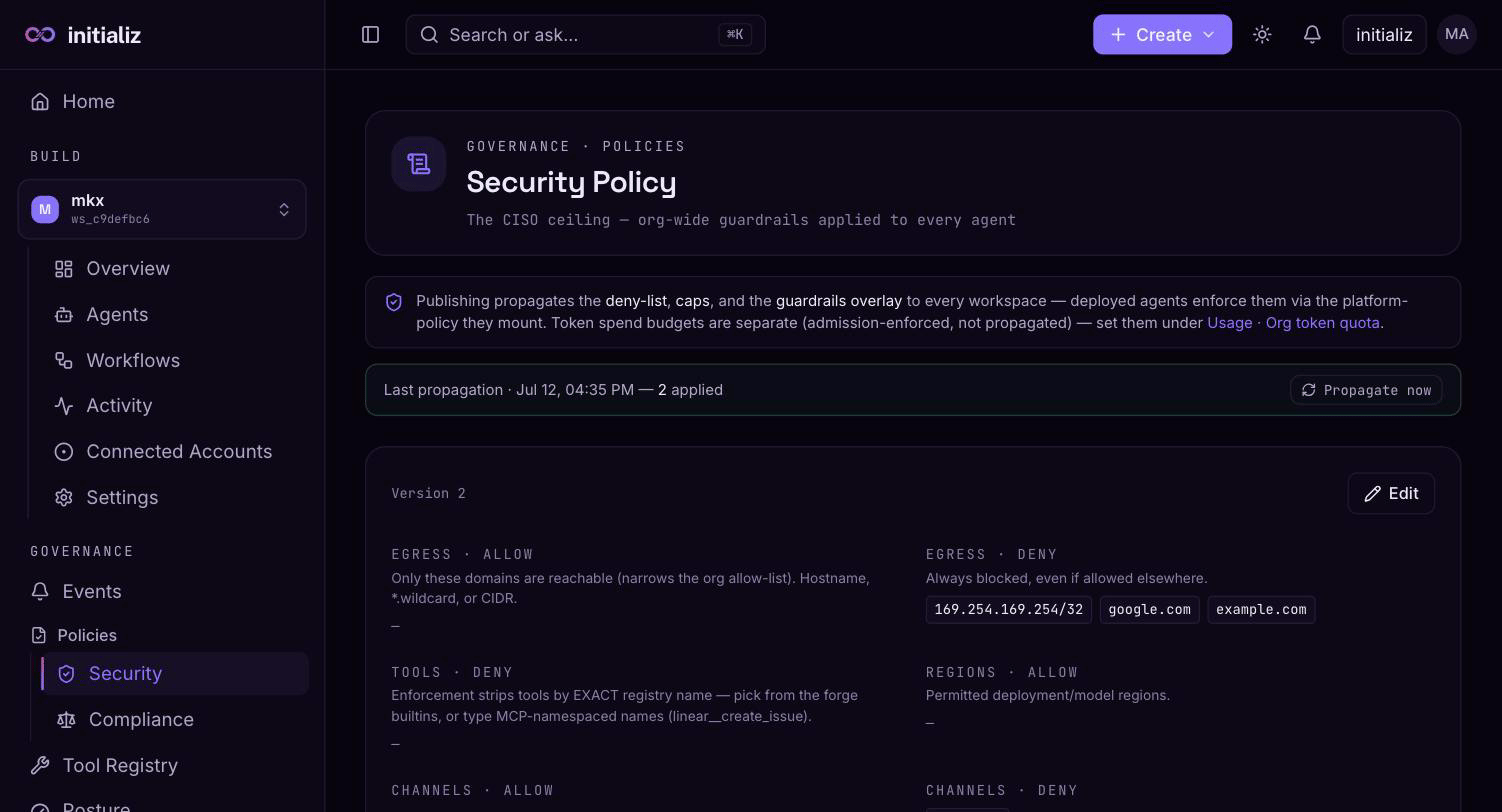
Three controls in the policy document govern egress:
- Egress allow list — narrows what any agent may declare. When non-empty, an agent whose allowlist includes a domain outside it fails its build-time policy check. An empty allow list means "no restriction from this layer", not "allow nothing".
- Egress deny list — domains blocked outright, even if a workspace policy or an agent's own allowlist permits them. Deny entries combine by union across layers: any layer can forbid, no layer can un-forbid.
- Max egress allowlist size — a cap on how many domains any single agent may carry; the smallest non-zero cap across layers wins.
The editor starts read-only: enter edit mode, make your changes, and publish (a justification is required, and every publish is a new version you can diff and roll back — see Policies).
Publishing propagates the compiled deny list and caps to every workspace, and a propagation banner on the Policies screen tracks the rollout. Two timing rules matter:
- New builds are checked immediately — the next build in any workspace is gated against the published version.
- Running agents pick the change up when they next start. The agent runtime reads its mounted policy at startup, so an agent that is already running enforces the new version from its next deploy, rebuild, or restart.
Step 3 — tighten the workspace policy
Each workspace can layer its own policy on top of the org ceiling. Go to Build → Settings and open the Security policy section — the same editor as the org screen, scoped to the selected workspace, with the same egress allow/deny lists and limits.
The workspace policy merges with the org policy under the standard rules: its deny entries add to the org's (union), and its allow list intersects with the org's — a workspace can only narrow, never widen, what the org permits. The effective result, with origin tags showing which layer contributed each entry, is described in Policies.
Use this layer when one workspace should be tighter than the org — for example, denying a vendor domain only for the workspace that handles regulated data.
Step 4 — narrow the agent's own domains
Open the agent from Build → Agents and switch to its Settings tab. The Egress domains card lists the agent's editable allowlist.
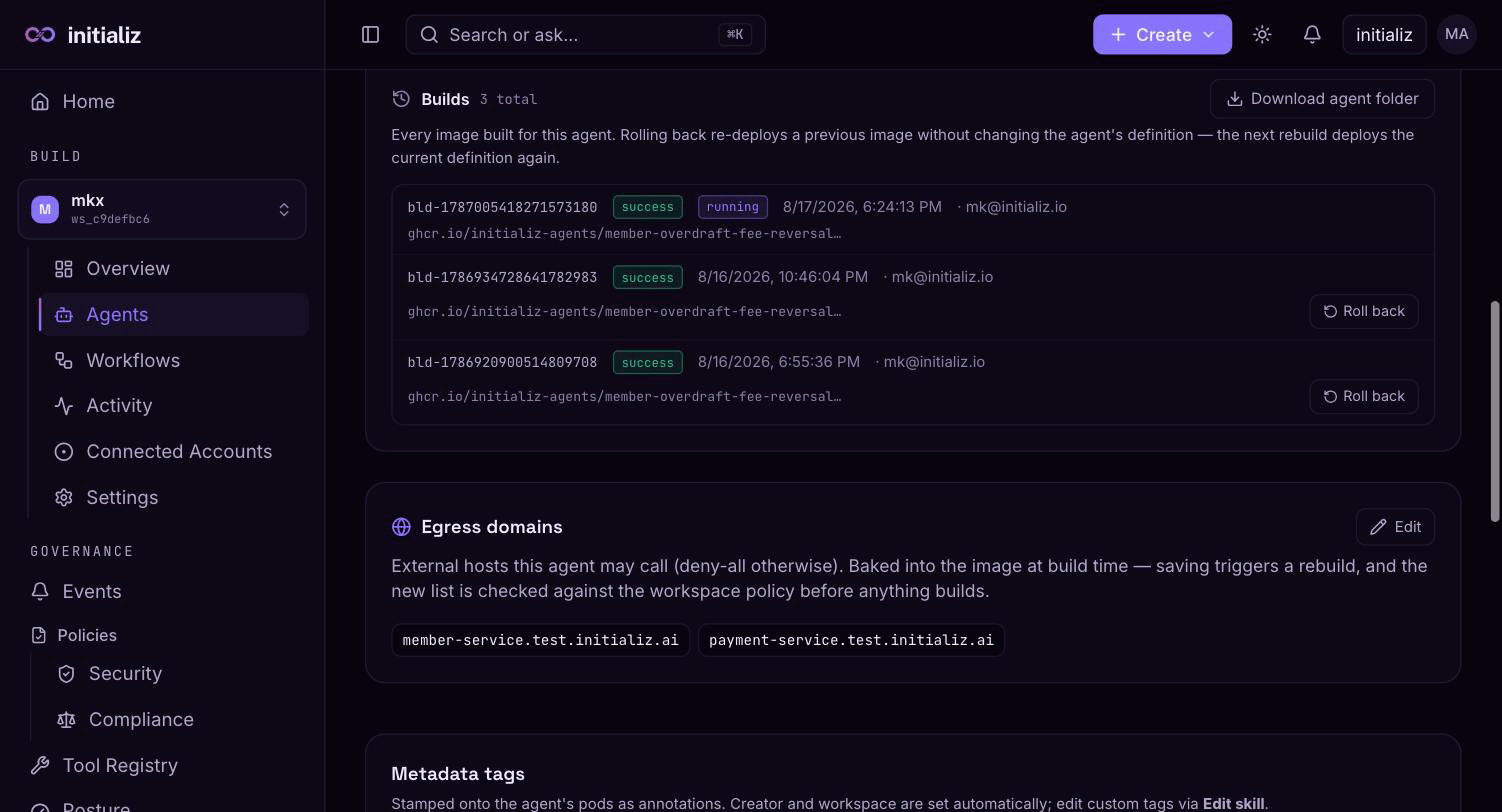
Click Edit, then remove any domain the agent no longer needs and
add any it genuinely does — entries are bare hostnames
(api.example.com) or subdomain wildcards (*.example.com), up to 50
per agent. Click Save & rebuild.
The rebuild is not optional: the allowlist is baked into the agent at build time, so a rebuild is the only way a change takes effect. Before anything builds, the new list is checked against the workspace's effective policy — a domain the policy denies fails the save at the gate rather than producing an agent that cannot start (see troubleshooting below).
Two things this card does not edit: the platform-managed base domains and tool-server hosts (merged in automatically, shown read-only on the create screen), and the egress of a CI-deployed agent — that agent's egress is owned by its repository's configuration, and the console refuses the edit.
Step 5 — apply the advanced runtime narrowings
Beyond the HTTP domain list, the runtime supports two finer-grained
controls. Both are declared in the agent's build configuration (the
forge.yaml in a CI-deployed agent's
repository) — they are not editable from the console's egress card,
which manages only the HTTP domain list.
- Specific private ranges — private and internal addresses are blocked by default. When the agent needs an internal service, declare only the address ranges it must reach instead of opening the whole private space; ranges are validated at build time, and always-blocked addresses (such as cloud metadata) stay blocked regardless. See Private network access.
- Port-aware raw TCP entries — for non-HTTP destinations
(databases, caches, brokers), declare explicit host-and-port entries
(
db.internal:5432,*.brokers.internal:9092). Raw TCP is disabled entirely unless at least one entry is declared. Note that HTTP domain entries are host-based, not port-based — once raw TCP is on, prefer an explicithost:portentry over an HTTP domain when a host needs port-level control. See Raw TCP connections.
If your agent is console-built and needs these, the path today is to move it to a CI deployment, where its build configuration lives in the repository.
Step 6 — verify a block end to end
Prove the policy bites. Ask the agent (from its Console tab) to fetch a host you know is not allowlisted — for example, "fetch https://example.org and summarize it".
- The agent sees a clear failure. The call fails immediately with
an error naming the domain —
egress blocked: domain "example.org" not in allowlist— and the connection is never attempted. The agent reports it as a tool error; it cannot retry its way around the policy. - The block is on the record. Open Governance → Events and look for the Egress blocked event (it also appears on the agent's Activity tab). The event carries the blocked domain and the rule that decided it — a matched deny rule, or "no matching allow rule — blocked by allowlist default" — plus the task that caused the call. See Security events.
Allowed calls are recorded too, as egress_allowed events, so you can
audit the agent's complete outbound behavior — not just its failures.
Troubleshooting
The build is refused for a declared domain
When an agent's configuration declares a domain the effective policy
denies, the build fails before anything is built, with the exact
violation — "platform policy violation — the workspace policy denies
this configuration, and the agent would refuse to start". This is the
same check the runtime runs at startup, moved to build time so the
failure is visible instead of buried in a crash-looping deployment. The
violation is also recorded as a policy_violation_at_build_time event.
To fix it: remove the offending domain from the agent's allowlist (Step 4), or ask a policy admin to change the workspace or org policy, then rebuild.
A needed host is blocked by the org deny list
Deny beats allow at every layer: if the org deny list contains a domain, no workspace policy and no agent allowlist can reach it. Check the effective policy's origin tags to confirm which layer added the entry. Only an org admin can remove it — publish the change, wait for the propagation banner to confirm the rollout, and remember that already-running agents enforce the updated policy from their next deploy, rebuild, or restart. If the deny entry is correct and the agent is wrong, change the agent instead.
Build a multi-agent workflow from a goal
An end-to-end walkthrough — describe an outcome in plain language, review the planned pipeline on the canvas, run it, watch each step in the timeline, and iterate.
Agents
What an agent is on the initializ AI Platform — skills, model provider, channels, policies, and guardrails, deployed into a workspace.