
Deploy a CI-built agent from your pipeline
An end-to-end walkthrough — author the deploy spec, wire a CI job that builds the image and runs the CLI, pass secrets from the pipeline, verify the CI-managed agent in the console, and iterate.
This guide walks the whole journey from an agent repository to a running,
CI-managed agent: your pipeline builds and pushes the image, and the
initializ CLI deploys it to a workspace. The platform never
sees your repository — it deploys what CI built. Each step links to the
reference page that covers it in depth.
Before you start
- An API token with the right role. An org or workspace admin creates it under Organization → API Tokens — for CI, prefer a developer or workspace-admin token scoped to the workspace the pipeline deploys into, with an expiry. The value is shown exactly once; store it in your CI secret store. See API tokens.
- Your organization and workspace IDs. The org ID (
org_…) is on Organization → Settings with a copy action; the workspace ID (ws_…) identifies the workspace the agent deploys into (optional if the token is workspace-scoped). - A registry your cluster pulls from. CI pushes the image to the registry configured on the workspace's Environment — see Workspaces and environments. The platform deploys by reference; it never pushes images for you.
- The CLI in your CI job. Binaries, a Homebrew tap, and a container image are all available — see the install section.
Step 1 — author the deploy spec
Add an initializ-deploy.yaml to the agent's repository. It declares the
agent's name, runtime type, image, environment variables, egress, and
sizing — everything the deploy needs beyond the image itself:
apiVersion: initializ.ai/v1
kind: AgentDeploy

agent:
  name: support-agent

image: registry.initializ.ai/acme/support-agent:latest # --image overrides

env:
  - name: OPENAI_API_KEY
    value: ${OPENAI_API_KEY} # interpolated from the CI environment
    secret: true

deploy:
  wait: true
Three runtimes are supported. The default forge runtime is a
forge-built agent: the CLI also reads forge.yaml, the repo's skill
files, and the forge build output to carry the env-var contract and
display metadata. The claude-agent runtime (agent.type: claude-agent) is a governed Claude Agent SDK image with no forge.yaml
— the spec alone describes the agent, and the platform injects the
managed model gateway at deploy time. The strands runtime
(agent.type: strands) is its Python sibling for AWS Strands agents,
governed identically — see
Govern a Strands agent and
the strands runtime reference.
Beyond the basics, the spec can also declare — each linked to its reference section:
- Raw pod annotations for keys other tooling reads by exact name (both runtimes).
- Network reachability — expose the agent's endpoint on the internal network or the internet instead of cluster-only (both runtimes).
- Persistent storage and setup steps for a stateful claude-agent whose working files survive restarts.
- An HTTP invoke endpoint for a claude-agent that serves a plain HTTP route instead of A2A — the console renders an invoke form for it, and the platform authenticates calls to it when the agent is exposed.
- An explicit owner (
agent.owner) so the agent's Owner in the console names a human, not the CI token (both runtimes; CI-actor variables are the fallback). - Audit payload capture
(
audit.capture) to attach bounded raw prompts and tool payloads as audit evidence, and per-agent audit sidecar sizing for high-volume agents. - Platform MCP connections for a governed runtime (claude-agent or strands) — declare workspace-connected MCP servers the agent may use; unconnected declarations are dropped fail-closed.
The agent deploy reference has the fully annotated spec, validation rules, and the claude-agent specifics; CI-deployed agents explains both runtimes from the platform side.
Step 2 — wire the pipeline
The job shape is always the same: build the image, push it to the workspace registry, then deploy by reference. A GitHub Actions outline for a forge agent:
jobs:
  deploy:
    runs-on: ubuntu-latest
    steps:
      - uses: actions/checkout@v4

      # 1. Build the agent image (forge runtime: forge build first,
      #    then docker build/push from .forge-output).
      - run: forge build
      - uses: docker/build-push-action@v6
        with:
          context: .forge-output
          push: true
          tags: registry.initializ.ai/acme/support-agent:sha-${{ github.sha }}

      # 2. Install the CLI from the public releases.
      - name: Install initializ CLI
        run: |
          curl -fsSL https://github.com/initializ/cli/releases/latest/download/initializ_linux_amd64.tar.gz \
            | tar xz && sudo mv initializ /usr/local/bin/

      # 3. Deploy the image just pushed. --wait fails the job if the
      #    rollout fails (exit 5) or times out (exit 6).
      - name: Deploy to initializ
        env:
          INITIALIZ_API_URL: https://api.initializ.ai
          INITIALIZ_TOKEN: ${{ secrets.INITIALIZ_TOKEN }}
          INITIALIZ_ORG_ID: ${{ vars.INITIALIZ_ORG_ID }}
        run: |
          initializ auth whoami   # preflight: fails fast on a revoked token
          initializ agent deploy -f initializ-deploy.yaml \
            --image "registry.initializ.ai/acme/support-agent:sha-${{ github.sha }}" \
            --wait
--image overrides the spec's image, so CI-templated tags need no
rewriting of the manifest, and the CLI auto-attaches provenance (commit
SHA, run URL) from the standard CI env vars. The
complete workflow,
the Buildkite variant, and the
Buildkite-with-ECR setup are
on the deploy reference — including the CI-specific pitfalls each one
carries.
Step 3 — pass secrets and environment from CI
The CLI authenticates entirely from environment variables — no login
step in CI. Set INITIALIZ_API_URL, INITIALIZ_TOKEN,
INITIALIZ_ORG_ID, and (unless the token is workspace-scoped)
INITIALIZ_WORKSPACE_ID, with the token coming from the CI secret
store. The full variable list is under
CLI authentication.
The agent's secrets follow the same principle: they live in the CI
secret store, never in the repo. In the spec, env[].value supports
${VAR} interpolation from the CI process environment, and
secret: true routes the value into the agent's Kubernetes Secret only
— the platform never persists it. An unresolvable ${VAR} fails the
deploy unless the entry is marked optional. See
env value interpolation.
Because every deploy re-sends the interpolated values, rotating an
agent credential is just updating the CI secret and deploying again.
Between deploys, rotation stays open without a CI run at all:
initializ agent secrets set
(or the console's Settings tab) patches the secret and restarts the
agent — see Secrets and environment.
Step 4 — verify in the console
When the deploy is accepted, the agent appears on Build → Agents like any other, with the same build status and progress logs as platform-built agents — the first deploy creates it, later deploys update it.
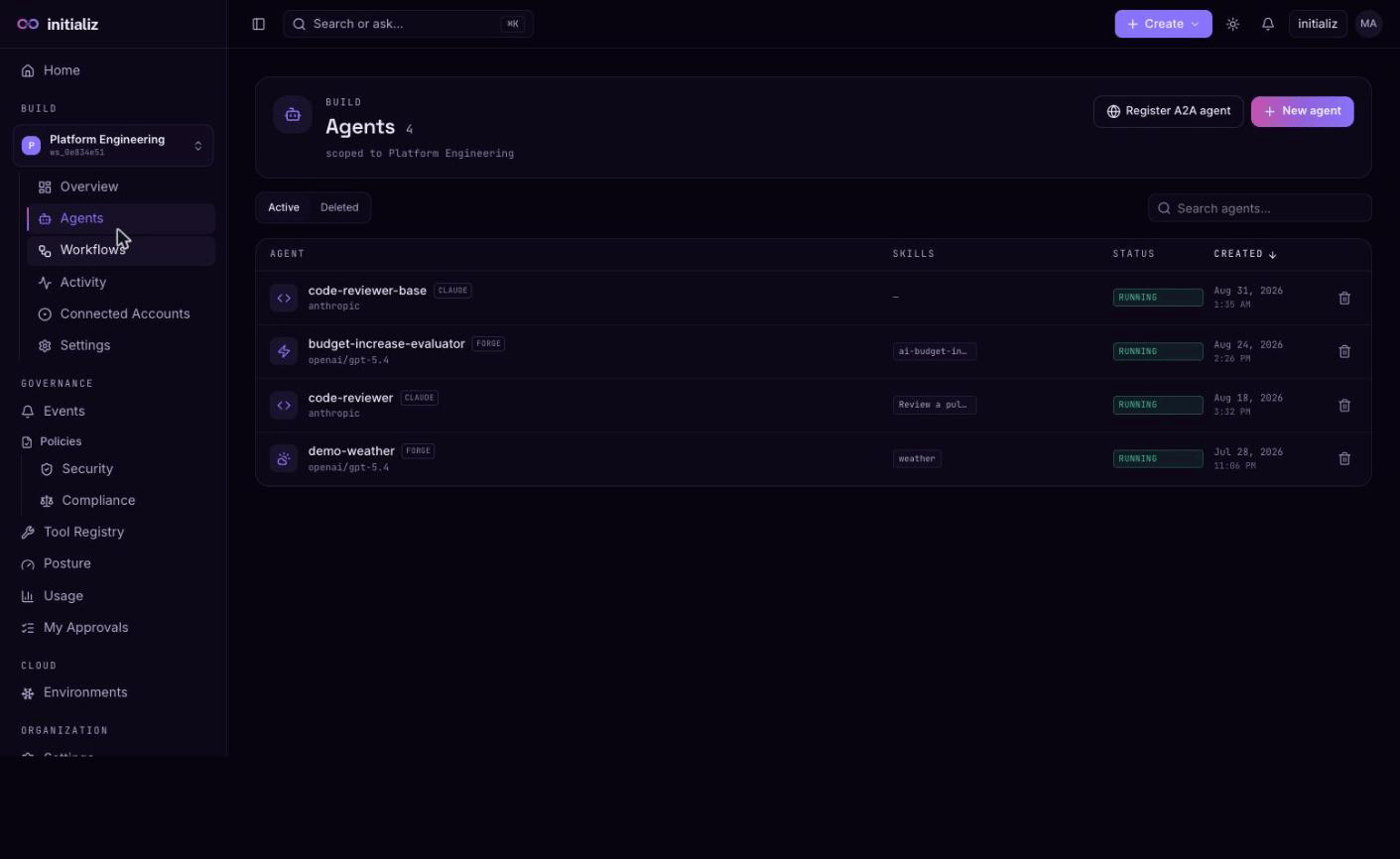
The agent is marked managed by CI: its configuration is owned by the repository, so the console locks what the image bakes in — skills (including the skill builder), model provider, channels, policies, guardrails, and platform-triggered rebuilds. Attempts are rejected; change these in the repo and deploy again. The Builds card's roll-back and folder-download actions are hidden for the same reason. What stays open: environment values and secret rotation (Step 3), plus everything operational — health and failure diagnostics, the Activity, Logs, and Usage tabs, chatting from the Overview tab, and workflows. The full lock list is in what "managed by CI" means.
Step 5 — iterate and roll back
Every deploy is an upsert on (workspace, agent name) — pushing a new
commit re-runs the pipeline and rolls the running agent to the new
image. Same-tag redeploys still roll the workload, so a mutable tag like
latest picks up the new image; supply an image digest to pin exact
content.
Metadata tags reconcile wholesale
on every deploy: the CLI always sends the resolved set (spec agent.tags
merged with --tag flags, even when empty), and that set becomes the
agent's tags — adding, changing, and removing a tag from the spec all
take effect on the next deploy. Only a deploy that carries no tag field
at all (an older CLI) leaves the existing tags untouched.
Raw annotations reconcile the
same way, and so does the deployment shape — reachability, storage, and
the HTTP invoke declaration all follow the spec on each deploy.
Rollback is pipeline-side: re-deploy an older image, either by re-running
the pipeline for the previous commit or with an explicit
initializ agent deploy --image <previous-ref> --wait. There is no
console rollback for a CI-managed agent — the repository and its CI are
the source of truth for what runs.
Approve deferred actions — console and Slack
Set up where an agent's deferred tool calls ask for approval — the My Approvals inbox, a Slack channel, or email — then act on them and verify the audit trail.
Run an agent on a schedule
Make an agent do recurring work on its own — set the scheduled / autonomous trigger, declare cron schedules, deploy, and verify the runs actually fire.