
Skills
The skill catalog, the conversational skill builder, and how to edit a deployed agent's skill.
A skill defines what an agent does. It bundles plain-language instructions, optional scripts, the environment variables it needs (with secrets flagged), the egress domains it must reach, and any governed tool dependencies. An agent is created around a skill, and the skill's declarations drive the configure screen: which variables you're asked for, which egress is added, which tool tokens are collected.
Governed tool dependencies
A skill's tool dependencies must come from your organization's Tool Registry (under Governance in the console) — references to unregistered tools are rejected when the skill is saved and when the agent builds. The registry admits three kinds of entry (the registration forms and admin actions are covered on the Tool Registry page):
- Command-line tools — binaries the agent may invoke.
- MCP servers — each server's tools are discovered at registration.
- APIs — a REST API registered from its OpenAPI spec: an admin
supplies the API's base URL and either pastes the spec or points at its
spec URL (with an optional one-shot token to fetch a protected spec —
used for that fetch only, never stored). Each operation in the spec
becomes a typed, individually governable tool, named after the spec's
operationId. API entries authenticate with a bearer or static token (OAuth is not supported for API entries); the token is collected as a secret when you configure the agent, and the API's host is added to the agent's egress allowlist automatically.
At runtime, a registry tool's operations are exposed to the agent as
<server>__<operation> — the same name compliance rules are keyed on in
Compliance and tool-call decisions.
Typed skill inputs
A skill's tools can declare typed input fields — names, types, required flags — from their scripts or from the typed operations of governed tools. When an agent deploys, the platform publishes each skill's input schema alongside the agent's registration, and that schema drives two surfaces:
- The console renders a structured form when you run the agent — see Running an agent from the console — instead of a free-text box a strongly-typed skill would reject. The form covers rich field shapes, not just scalars: lists, objects, and lists of objects (rendered as a repeatable row sub-form) all submit real typed values.
- The workflow planner sees the skill's field names, so workflow inputs can be mapped onto them explicitly.
Schema publication is best-effort: a skill whose inputs can't be derived simply stays conversational.
The skill catalog
The create flow's entry screen lists the platform's skill catalog. Skills are grouped by category — developer, SRE, research, utilities — and can be searched by name or description. Each tile shows the skill's description, how many variables it declares, and how many egress domains it needs. Picking a tile takes you straight to the configure screen prefilled from that skill.
Catalog skills ship with the platform and are read-only — you configure their variables and egress per agent, but you don't edit their contents.
The conversational skill builder
Instead of picking from the catalog, you can describe the agent in plain English and let the builder draft a skill. From the create entry screen, type what the agent should do and click Generate skill.
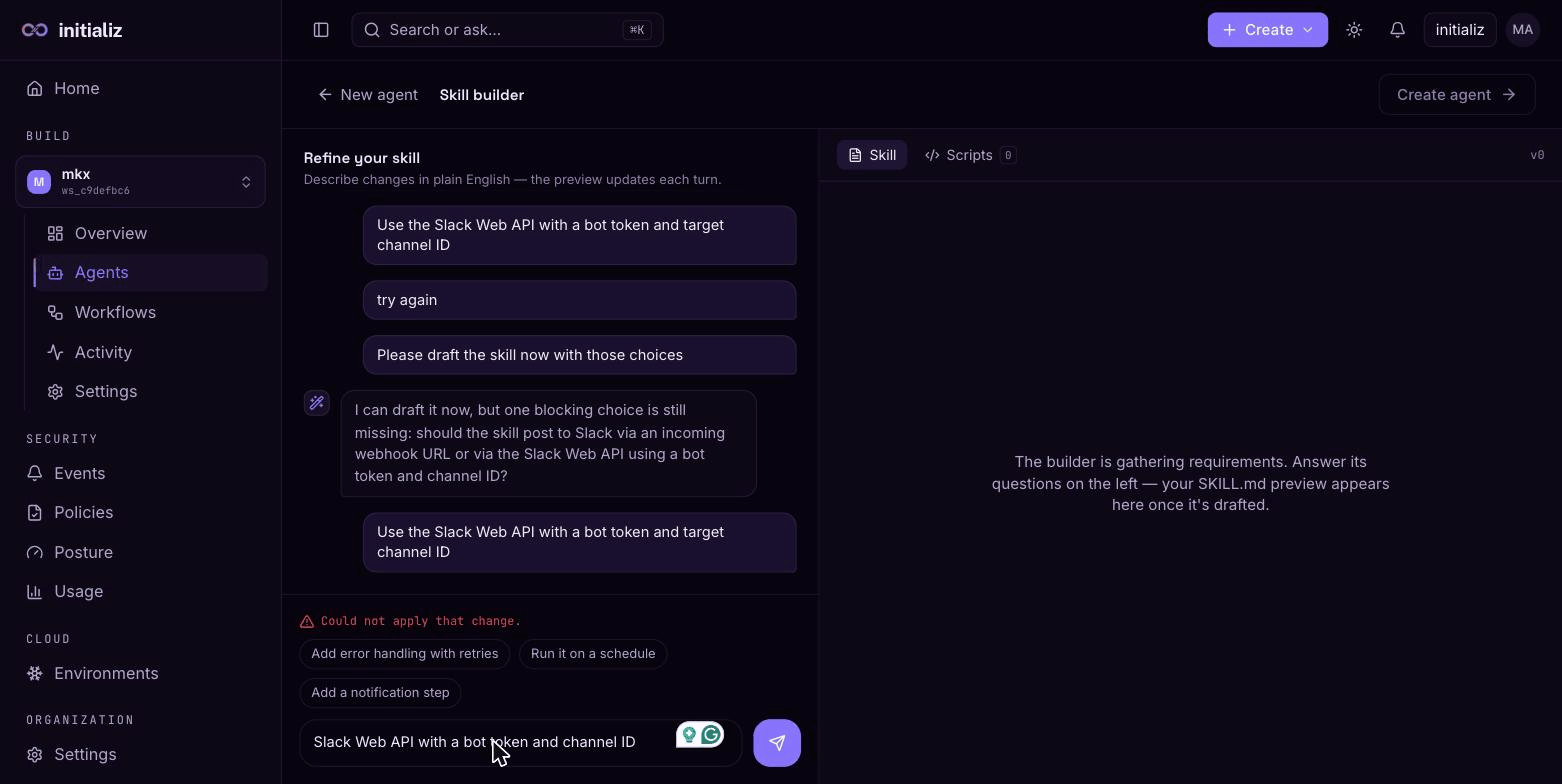
The builder is a split-screen chat:
- On the left, a conversation with the builder. It may ask clarifying questions before drafting; each of your messages refines the draft. Suggestion chips propose common refinements like adding error handling with retries, running on a schedule, or adding a notification step.
- On the right, a live preview of the drafted skill — the instructions document and any generated scripts — with the parts changed by the last turn highlighted.
The builder prefers the runtime's built-in tools over generating duplicate scripts, answers knowledge questions directly instead of wrapping them in a skill, and requires live data to come from tools rather than model knowledge.
When the draft looks right, continue with Create agent — the configure screen prefills from the draft exactly as it would from a catalog skill, and the skill is attached to the agent at create.
Builder sessions
A builder conversation is a durable session: navigating away doesn't lose the draft. Sessions are kept for 24 hours after their last activity, and your open sessions surface where you'd resume them:
- The create-flow entry screen shows a Continue where you left off card listing your open create sessions — each with its draft state ("in conversation" or a drafted version) and last activity.
- An unfinished skill edit shows a resume banner on that agent's detail page.
A session ends one of two ways: it is consumed when its draft becomes an agent (or is applied to one), or you discard it — the resume surfaces offer a discard action (with a confirm step) so a stale draft doesn't linger. Sessions that simply go untouched expire on their own after 24 hours.
The conversational builder is available when your platform's builder service is configured. If it isn't, the describe box shows as coming soon and the catalog remains the create path.
Editing a deployed agent's skill
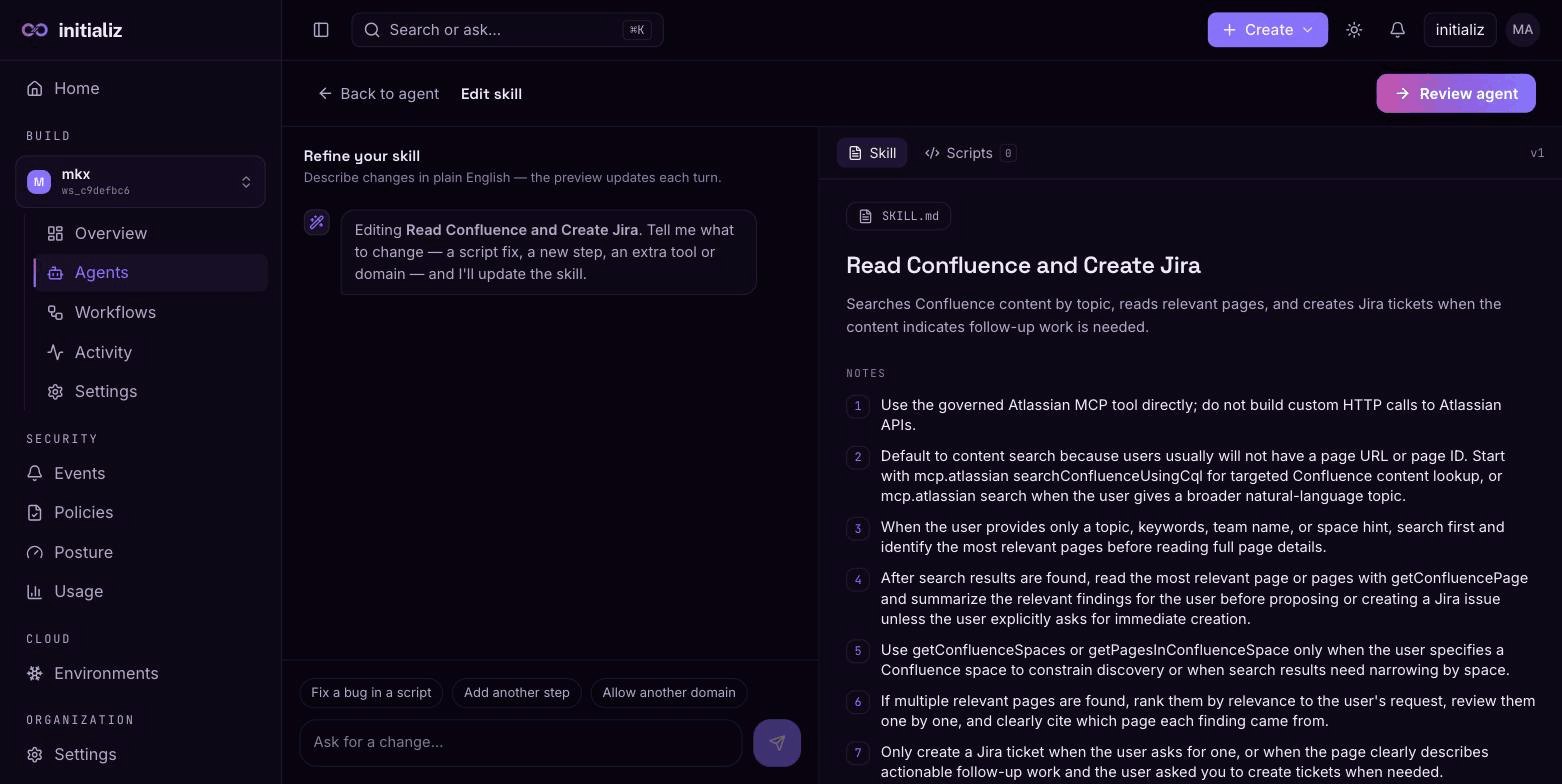
Agents whose skill was AI-generated can be edited after deployment. On the agent's Settings tab, click Edit skill — this opens the same conversational builder, seeded from the agent's current skill. Fix a script, add a step, allow another domain, then review and apply.
Applying an edit goes through a finalize screen that reviews the agent's configuration for the edited skill — variables (including values for any newly declared secrets), egress, tools, trigger, channels, endpoint reachability, metadata tags, and the governance toggle — and applies everything in one rebuild: the agent's image is rebuilt and redeployed, which takes a few minutes. Environment values already stored on the agent are kept unless you enter new ones.
The review screen can also change the agent's model. The current provider and model show read-only; click the Edit pencil to pick a different provider or model from the set your platform offers — the change is validated against the current offering, and a model that is no longer offered is flagged no longer available so you can move off it. The new model takes effect with the rebuild.
Catalog skills can't be edited this way — their contents come from the platform's registry. To change what a catalog-skill agent does, create a new agent with a generated skill.